> ## Documentation Index
> Fetch the complete documentation index at: https://docs.disqoai.com/llms.txt
> Use this file to discover all available pages before exploring further.
# Overview
> A centralised, at-a-glance view of all interactions, events, and outputs
The Activities page in disQo.ai provides a centralised, at-a-glance view of all your interactions, events, and outputs across the platform. Easily track what has happened, when, and with which tool.
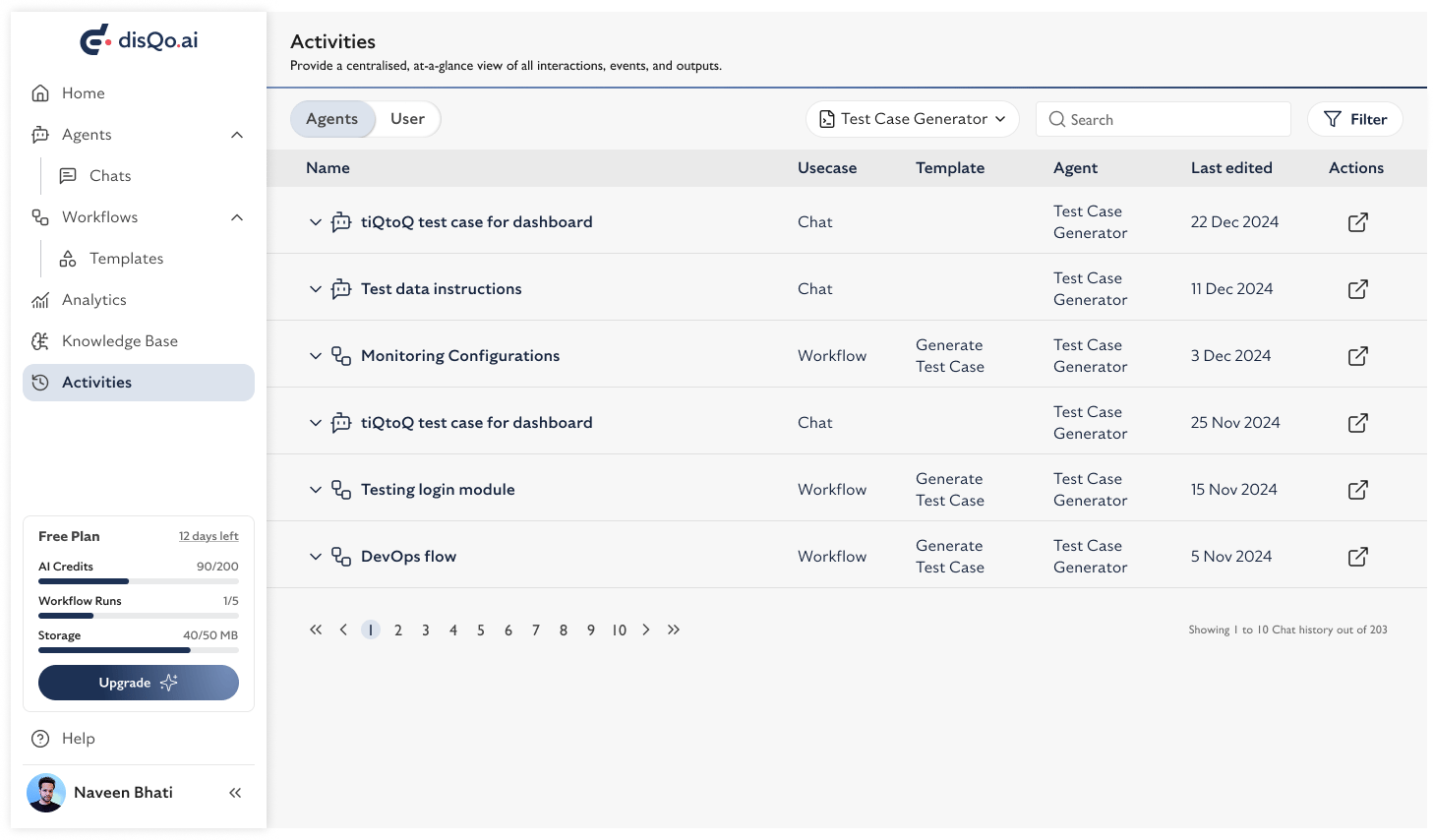 * Filter activities by tool (e.g., Test Data Generator, Automation Scripts Generator, Test Case Generator, Requirement Analyser)
* Switch between and activity views
* Search and filter to quickly find relevant events
Use the Activities page to audit your actions, troubleshoot issues, and maintain a clear record of your work in disQo.ai.
* Filter activities by tool (e.g., Test Data Generator, Automation Scripts Generator, Test Case Generator, Requirement Analyser)
* Switch between and activity views
* Search and filter to quickly find relevant events
Use the Activities page to audit your actions, troubleshoot issues, and maintain a clear record of your work in disQo.ai.