> ## Documentation Index
> Fetch the complete documentation index at: https://docs.disqoai.com/llms.txt
> Use this file to discover all available pages before exploring further.
# Overview
> Learn how to create and manage your knowledge base in disQo.ai
The Knowledge Base in disQo.ai allows you to centralise all your important documents, files, and data sources in one accessible location. Easily upload, organise, and sync information from platforms like Jira and Confluence to power your automations and workflows.
## Getting Started with Knowledge Base
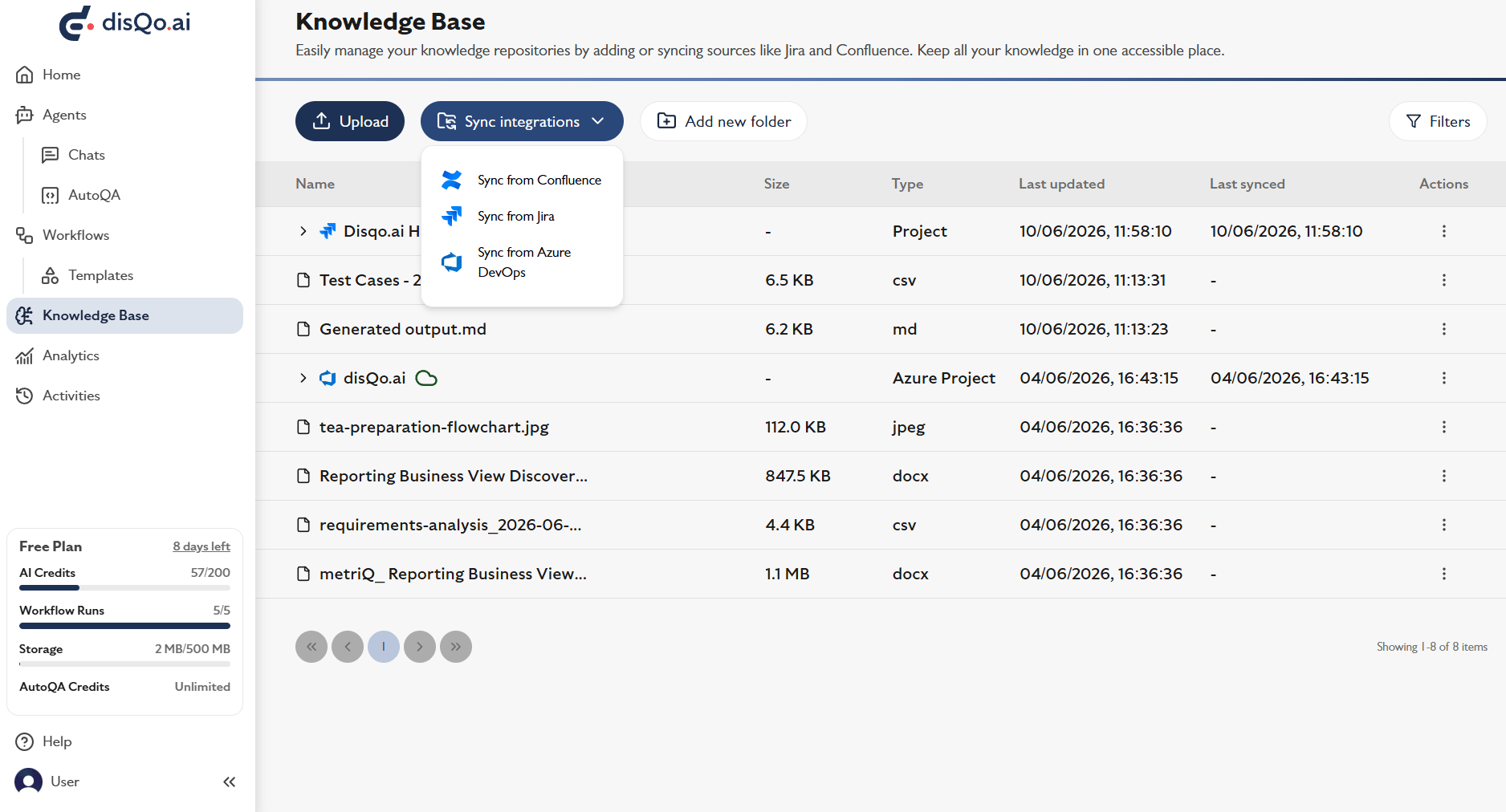
Select from the sidebar to access your repository of documents and integrations.
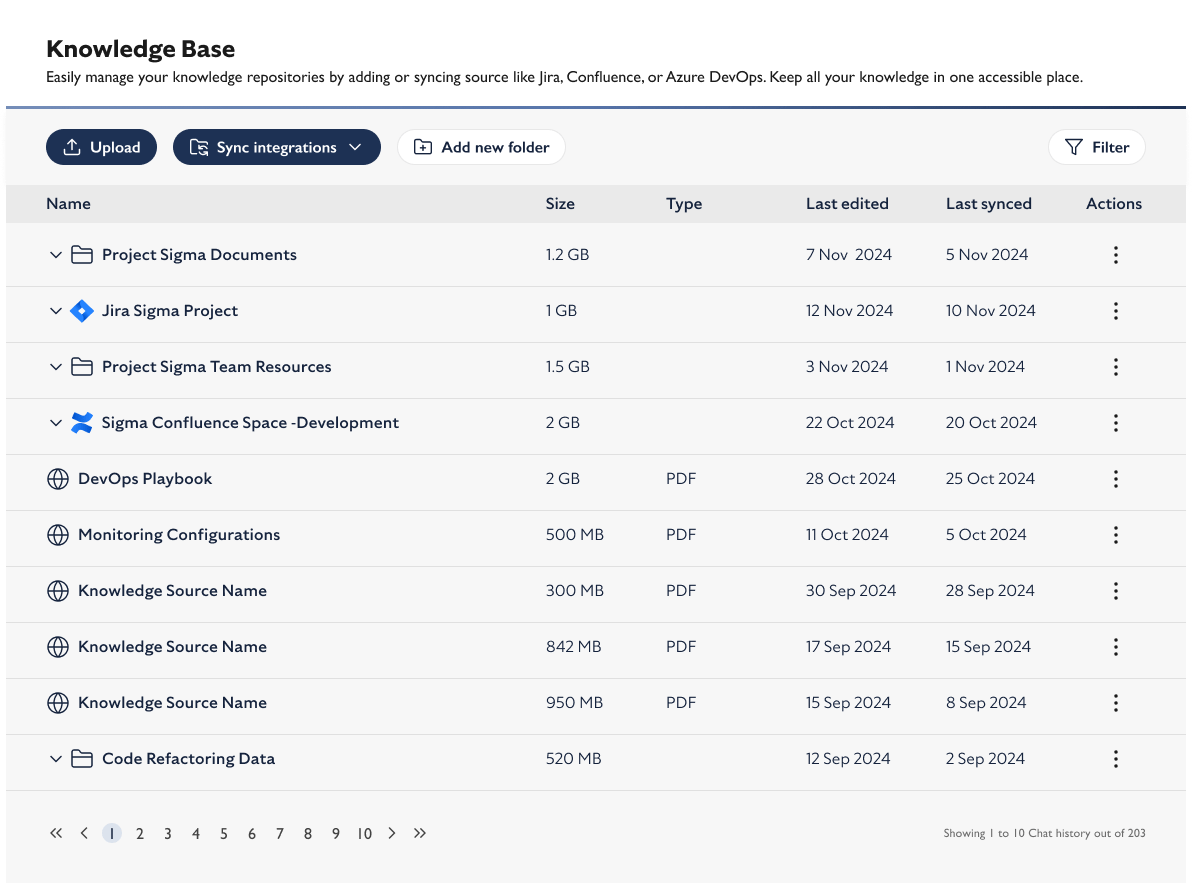 Click to add files or folders. You can drag and drop, or browse to select files. Maximum single file size: 5MB.
Use to connect and import data from Confluence, Azure DevOps, and Jira.
Click to add files or folders. You can drag and drop, or browse to select files. Maximum single file size: 5MB.
Use to connect and import data from Confluence, Azure DevOps, and Jira.
 ## Supported File Types & Limits
| File Type | Extensions |
| --------- | -------------------------- |
| Document | .pdf, .txt, .md, .docx |
| Data | .csv, .xml, .json, .xls(x) |
| Slides | .pptx |
| Images | .png .jpeg .jpg |
* 5MB
* Supported for bulk upload and organisation
Organise your files into folders for easier management. Use clear, descriptive names for files and folders to improve search and automation accuracy.
## Troubleshooting & Best Practices
If you see a message that your integration is not connected, ensure you have authorised access to your Confluence or Jira account and try again.
* Only upload files you have permission to share.
* Keep your knowledge base up to date by regularly syncing with your integrations.
* Use filters to quickly find relevant documents.
Your Knowledge Base is now set up! You can start using your documents and synced data in workflows and automations across disQo.ai.
## Supported File Types & Limits
| File Type | Extensions |
| --------- | -------------------------- |
| Document | .pdf, .txt, .md, .docx |
| Data | .csv, .xml, .json, .xls(x) |
| Slides | .pptx |
| Images | .png .jpeg .jpg |
* 5MB
* Supported for bulk upload and organisation
Organise your files into folders for easier management. Use clear, descriptive names for files and folders to improve search and automation accuracy.
## Troubleshooting & Best Practices
If you see a message that your integration is not connected, ensure you have authorised access to your Confluence or Jira account and try again.
* Only upload files you have permission to share.
* Keep your knowledge base up to date by regularly syncing with your integrations.
* Use filters to quickly find relevant documents.
Your Knowledge Base is now set up! You can start using your documents and synced data in workflows and automations across disQo.ai.