> ## Documentation Index
> Fetch the complete documentation index at: https://docs.disqoai.com/llms.txt
> Use this file to discover all available pages before exploring further.
# Organisation Management
> Learn how to set up your organisation and manage users and members in disQo.ai
Once you have created an organisation in disQo.ai, the Organisation section will appear in your Settings. Here, you can manage your organisation details, team members, billing, and more.
## Accessing Organisation Settings
Click your profile menu and select to start a new organisation for your team.
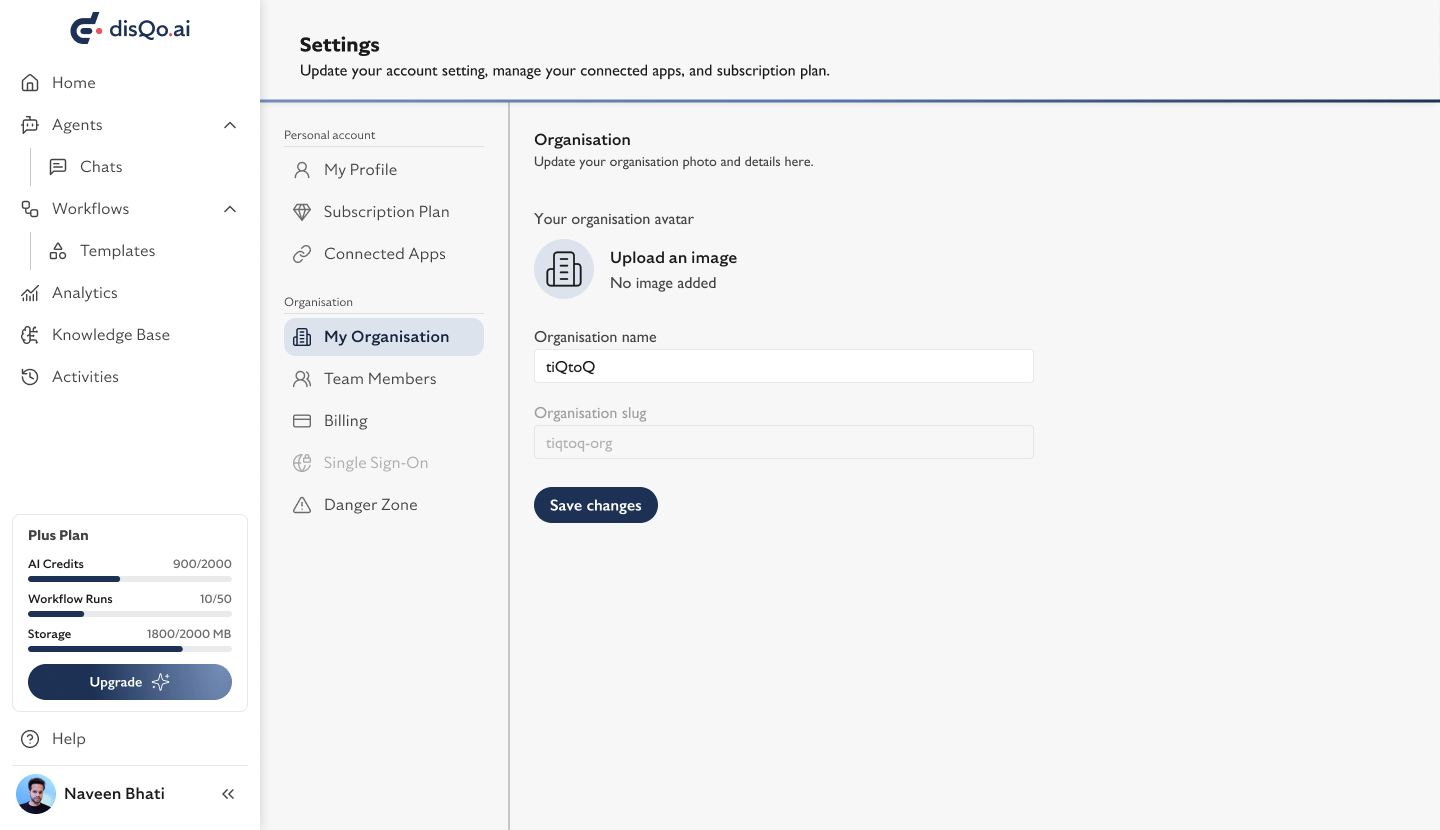 After creation, access in Settings to update your organisation name, avatar, and slug.
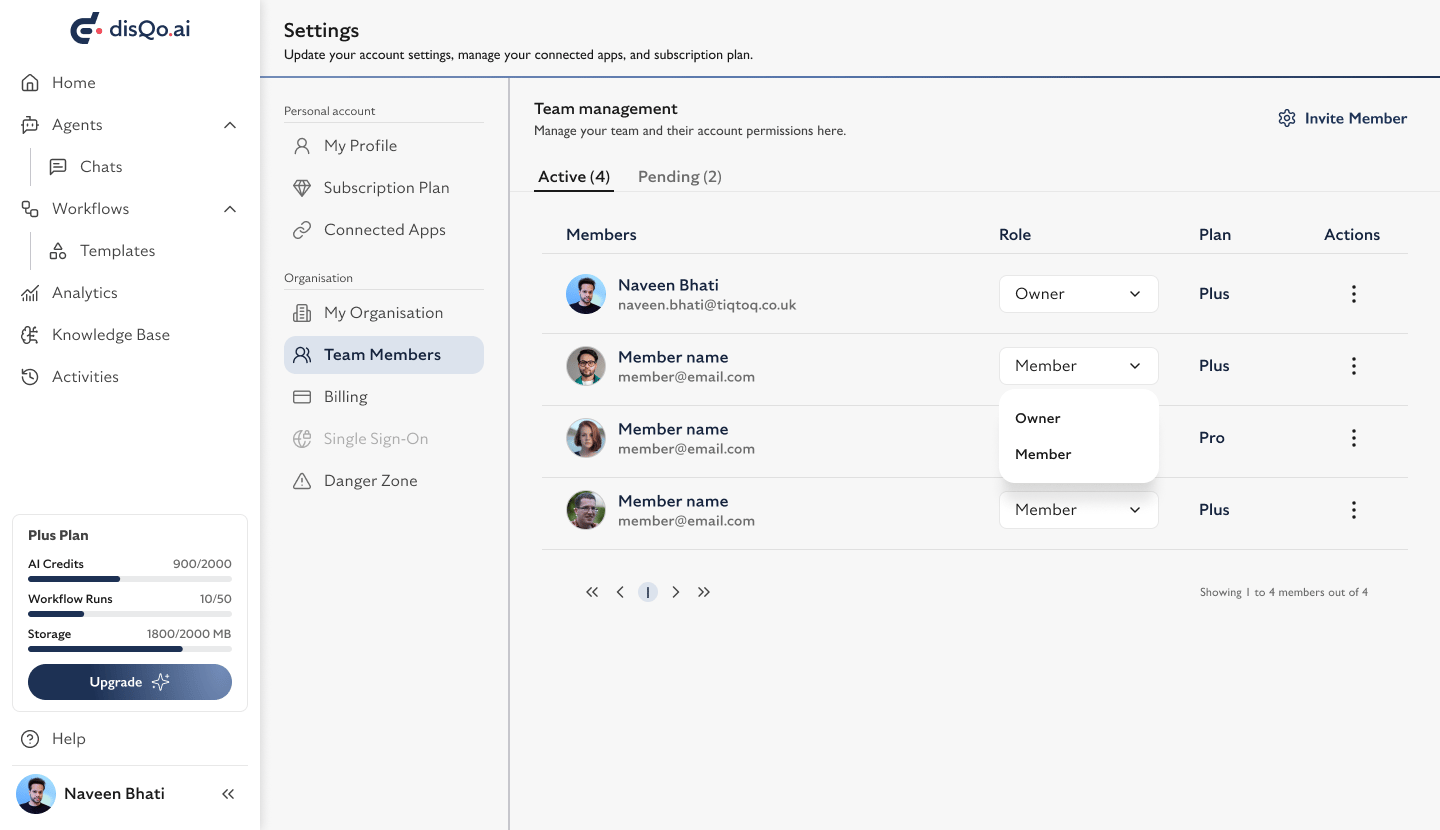
Use the section to invite, view, and manage your team. Assign roles and manage permissions.
After creation, access in Settings to update your organisation name, avatar, and slug.
Use the section to invite, view, and manage your team. Assign roles and manage permissions.
 The section allows you to view your subscription plan, manage payments, and see your team size and next payment date.
In , you can leave, delete, or transfer your organisation. Use caution—deleting an organisation is irreversible.
Organisation management features are only available after you have created an organisation. Billing and team management options will also appear in your Settings menu.
The section allows you to view your subscription plan, manage payments, and see your team size and next payment date.
In , you can leave, delete, or transfer your organisation. Use caution—deleting an organisation is irreversible.
Organisation management features are only available after you have created an organisation. Billing and team management options will also appear in your Settings menu.