> ## Documentation Index
> Fetch the complete documentation index at: https://docs.disqoai.com/llms.txt
> Use this file to discover all available pages before exploring further.
# Templates
> Learn about pre-built workflow templates and how to use them in disQo.ai
Workflow templates help you get started quickly by providing pre-built automation flows for common business, QA, and engineering tasks. You can customise any template to fit your needs.
More workflow templates are coming soon! If you need a specific workflow template, please to request one. Stay tuned for new templates and automation capabilities.
## How to Use Workflow Templates
Go to from the sidebar to browse all available workflow templates.
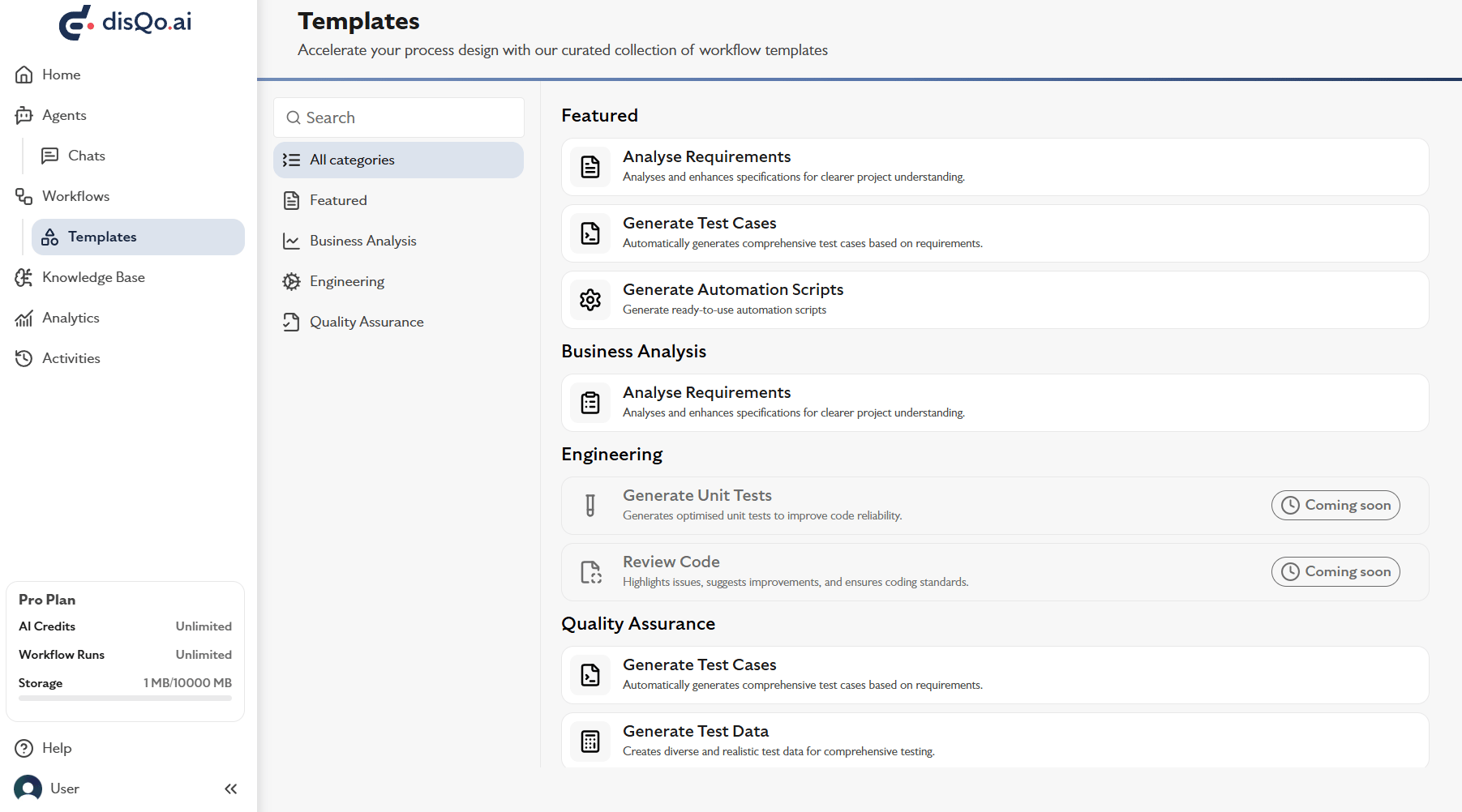 Choose a template from categories like Business Analysis, Engineering, or Quality Assurance.
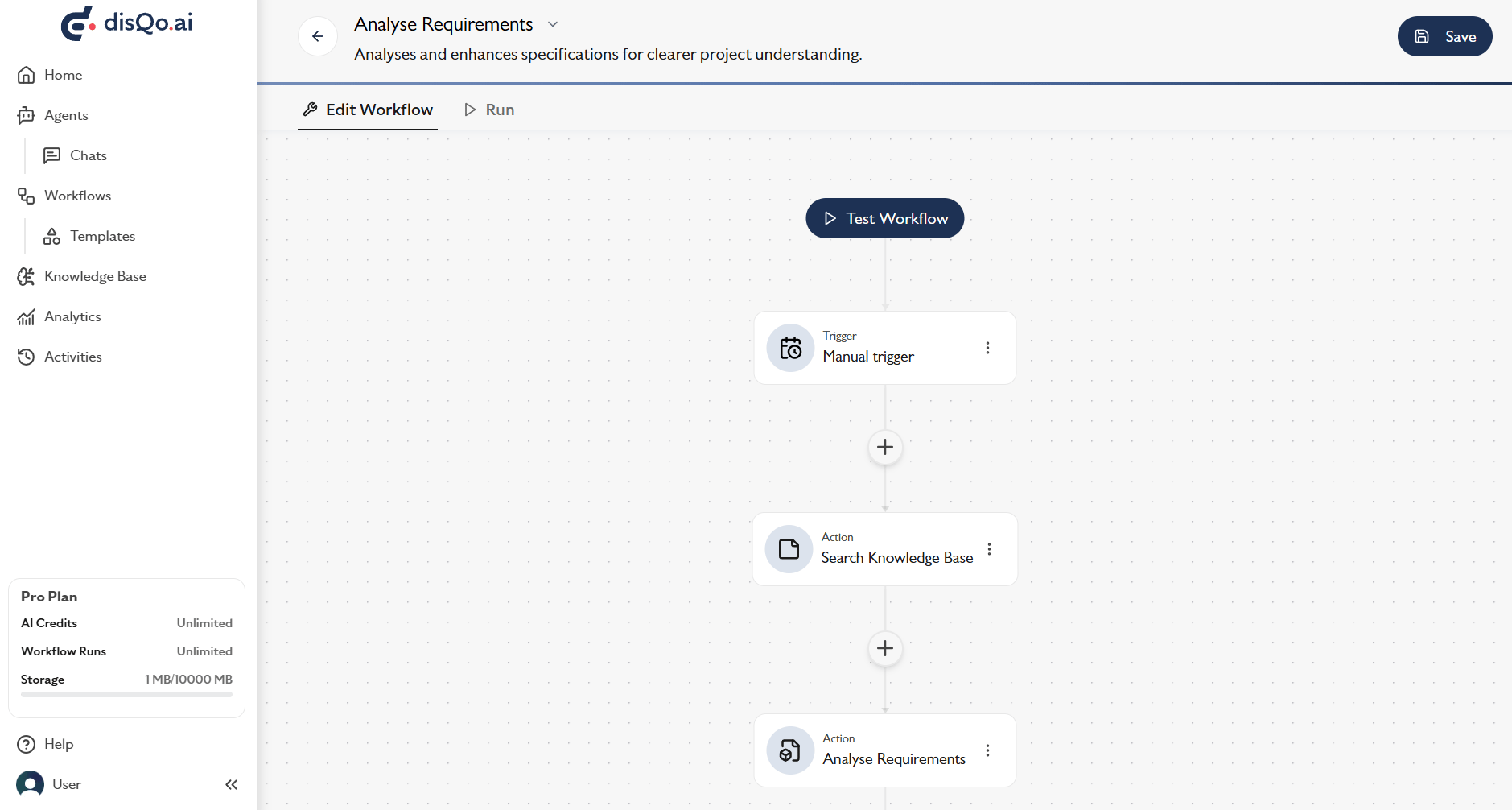 Click on a template to preview its workflow and start customising it for your process.
## Available Templates
| Template Name | Category | Description |
| --------------------------- | ----------------- | ------------------------------------------------------------------------------ |
| Analyse Requirements | Business Analysis | Analyses and enhances specifications for clearer project understanding. |
| Generate Test Cases | Quality Assurance | Automatically generates comprehensive test cases based on requirements. |
| Generate Automation Scripts | Quality Assurance | Generates ready-to-use automation scripts tailored to your testing frameworks. |
| Generate Test Data | Quality Assurance | Creates diverse and realistic test data for comprehensive testing. |
| Generate Unit Tests | Engineering | Coming soon |
| Review Code | Engineering | Coming soon |
* **Category:** Business Analysis
* **Purpose:** Analyse and enhance project requirements for clarity and completeness.
* **How it works:** Uses AI to review and suggest improvements to your requirements documentation.
* **Category:** Quality Assurance
* **Purpose:** Automatically generate comprehensive test cases from requirements or Jira tickets.
* **How it works:** Select requirements or tickets, and the workflow outputs detailed test cases.
* **Category:** Quality Assurance
* **Purpose:** Generate ready-to-use automation scripts for your testing frameworks.
* **How it works:** Input your requirements or test cases, and receive scripts compatible with popular frameworks.
* **Category:** Quality Assurance
* **Purpose:** Create diverse and realistic test data for comprehensive testing.
* **How it works:** Specify data types and constraints, and the workflow generates sample datasets.
This template is not yet available. It will generate optimized unit tests to improve code reliability.
This template is not yet available. It will highlight issues, suggest improvements, and ensure coding standards.
You can further customise any template by adding or removing actions. See the page for all available workflow actions.
For a step-by-step guide to creating workflows, see the page.
Click on a template to preview its workflow and start customising it for your process.
## Available Templates
| Template Name | Category | Description |
| --------------------------- | ----------------- | ------------------------------------------------------------------------------ |
| Analyse Requirements | Business Analysis | Analyses and enhances specifications for clearer project understanding. |
| Generate Test Cases | Quality Assurance | Automatically generates comprehensive test cases based on requirements. |
| Generate Automation Scripts | Quality Assurance | Generates ready-to-use automation scripts tailored to your testing frameworks. |
| Generate Test Data | Quality Assurance | Creates diverse and realistic test data for comprehensive testing. |
| Generate Unit Tests | Engineering | Coming soon |
| Review Code | Engineering | Coming soon |
* **Category:** Business Analysis
* **Purpose:** Analyse and enhance project requirements for clarity and completeness.
* **How it works:** Uses AI to review and suggest improvements to your requirements documentation.
* **Category:** Quality Assurance
* **Purpose:** Automatically generate comprehensive test cases from requirements or Jira tickets.
* **How it works:** Select requirements or tickets, and the workflow outputs detailed test cases.
* **Category:** Quality Assurance
* **Purpose:** Generate ready-to-use automation scripts for your testing frameworks.
* **How it works:** Input your requirements or test cases, and receive scripts compatible with popular frameworks.
* **Category:** Quality Assurance
* **Purpose:** Create diverse and realistic test data for comprehensive testing.
* **How it works:** Specify data types and constraints, and the workflow generates sample datasets.
This template is not yet available. It will generate optimized unit tests to improve code reliability.
This template is not yet available. It will highlight issues, suggest improvements, and ensure coding standards.
You can further customise any template by adding or removing actions. See the page for all available workflow actions.
For a step-by-step guide to creating workflows, see the page.